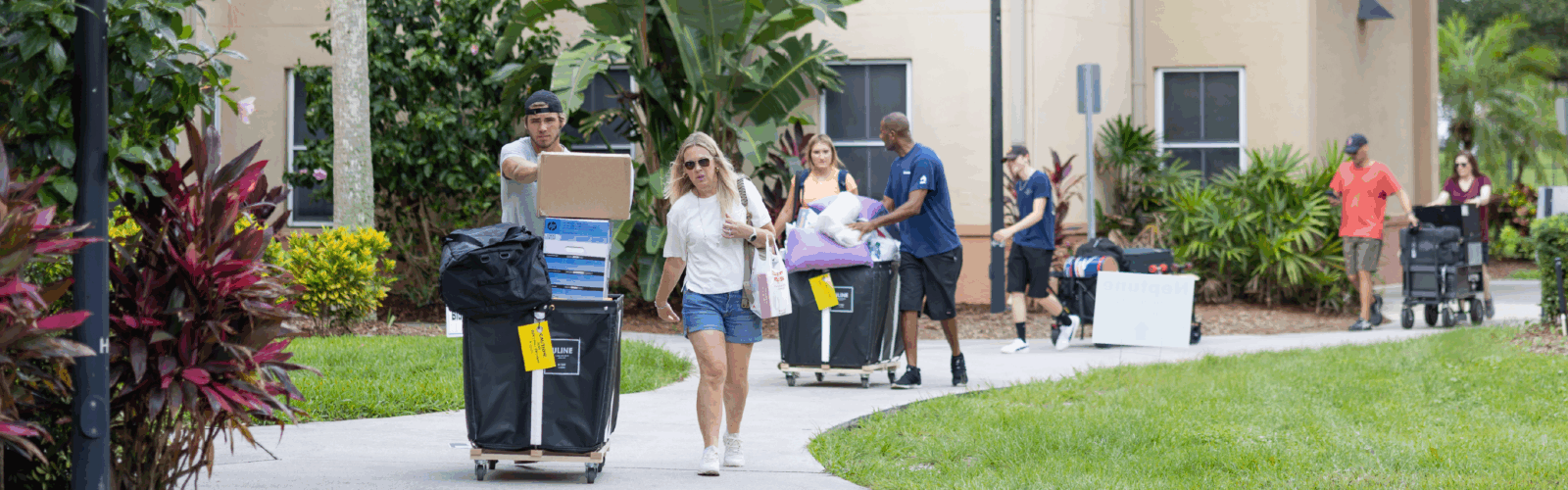
Welcome home, knights!
Spring Move-in will occur January 10th – 11th
Please review all of the move-in pages in the navigation menu for important information on how to:
- Schedule your move-in appointment
- Review what to expect prior to your arrival, on move-in day, and what to do after moving in.
- Find answers to frequently asked questions.
We want your move-in experience to be as smooth and welcoming as possible. Your check-in begins before you arrive on campus. Please review all move-in information including what do before you arrive, on move-in day, and after check-in. We encourage every student to download the UCF mobile app before arriving on campus.
Move-in guides
Academic Agreements
Annual Agreements
Rosen Agreement
Spring Move-in/Returning Residents
Returning Residents: No Move-in Appointment Required
New Residents: Move-in Appointment Required Saturday, January 10th and Sunday, January 11th from 8:30 a.m. – 3:30 p.m.
Before You Arrive
All residents must register via the housing portal for a move-in appointment. Move-in Appointments indicate a 15-minute window that you arrive for check-in. You do not have to move-in within that 15 minutes.
To register for a move-in appointment:
- Log in to the Housing Portal (myUCF > Tools > Housing > Housing Portal)
- From the Housing Quick Links section on the right, click ‘Book a Move-In Appointment’
- Click ‘Select’ next to your spring room assignment
- Search for available dates and times for move-in weekend and reserve your appointment time
Packing List
For Move-in Day
- Photo ID and UCF ID
- Your preferred personal cleaning supplies
- Residents will be expected to take personal responsibility for cleanliness and sanitation in their spaces.
- Dolly or hand truck
- Residents may check out moving bins, but equipment is limited. Bins must be returned within 2 hours of the original check-out location to avoid a minimum $50 charge to your student account.
- Bottled water
- Umbrella
For Your Room
- Bedding:
- Apollo, Libra, Nike, Hercules, Neptune, Lake Claire, Rosen: xl twin (80″)
- Towers: full-size
- NorthView: queen size (full xl)
- Towels & washcloths
- Toilet paper
- Note: toilet paper holders are still being changed out in many residence halls. If there is remaining toilet paper in your bathroom, it will not be replenished by housing. You are responsible for providing your own toilet paper when it runs out.
- Toiletries and hygiene items, including prescription medications
- Standing shower caddy (NO hanging shower caddies are permitted)
- Trashcan and trash bags
- Power strip
- 120-volt U.L. approved/built-in manual reset 15 and circuit breaker/maximum length cord six (6) feet/maximum six (6) outlets at end of cord
- Laundry bag and detergent (HE detergent)
- Microwave (under 1000 watts)
- Mini-fridge (under 5 cubic feet)
- Shower curtains (Towers and NorthView residents)
- Computer and/or other devices
- Ethernet cable
- For items that cannot connect to the UCF Wi-Fi network; for more information on wireless internet connectivity, visit UCF IT
- Toilet plunger
Bikes
- You are allowed to have a bicycle on campus as long as you secure it properly to a bike rack outside
Apartments (addl. items)
- Pots & pans
- Cooking utensils
- Eating utensils
- Dishes
- Water filter
- The following appliances are permitted in Apartment style kitchens only: Toaster ovens, toasters, rice cookers, crock pots, air fryers, and George Foreman grills.
Items to Leave at Home
- Hanging shower caddies
- Animals (other than fish in a 10 gallon or smaller tank)
- For information regarding the approval process of service animals, click here and navigate to the Accommodations tab.
- LED strip lights (with adhesive backs)
- Bed lofts or risers
- Note: Bed mattresses will be raised to their highest level prior to move-in. Additional lifts or risers of any kind are not permitted.
- Waterbeds
- Octopus, torchiere lamps, and Light bulbs or lamps that utilize halogen gas
- Wall decorations covering more than twenty percent of each individual wall
- Scented plug-ins
- 3-D printers
- Curtains used in hallways, windows, or as partitions
- Firearms, explosives, or any sharp weaponry
- Any type of gun/weapon (toy, bb guns, airsoft guns, pellet guns, bow and arrow, etc.)
- Illegal drugs
- WiFi routers
- Heaters, hot plates, and other “open element” appliances
- Devices using an open flame, such as candles, portable gas stoves, grills, fondue pots, gas burner hot plates, or gas lanterns
- Toaster ovens, toasters, rice cookers, crock pots, air fryers, etc. (Note: these are only allowed in our apartment-style kitchens)
- Note: If your appliance triggers the fire alarm, a minimum $375 fee will be charged.
- Bikes
- You are allowed to have a bicycle on campus as long as you secure it properly to a bike rack outside. However, we find that the majority of students who bring a bike to campus never use it throughout the year. Carefully consider whether you will actually use your bike before bringing it to campus. You may not keep your bicycle inside any housing facility for any reason.
- Download our packing list
Move-In Guide’s
Community Living Guide
The Community Living Guide (CLG) provides a comprehensive overview of the rules, expectations, and behaviors that all residents are expected to follow. Students are responsible for reviewing and understanding this information.
UCF ID Card
Your UCF ID Card is used to access your community building and room. Be sure to have your card before your scheduled move-in appointment, as it is required for check-in and room access.
First Time in College (FTIC) or Transfer students will receive their UCF Cards during their scheduled Orientation date.
If you do not receive your UCF Card at Orientation, please visit Card Services during their operating hours to obtain your card before your move-in appointment.
Room Assignment
Your room and roommate information are available to you in the housing portal after room selection is complete.
Please note: Rooms and roommate information may change due to cancellations, or other circumstances. Check your housing portal to confirm your room assignment before you arrive to campus.
Postal Information
Your mailing address and PO Box number will be available in the myUCF portal once your room assignment is posted.
When sending mail to campus, always include:
- Your first and last name
- Your assigned PO Box number
Information regarding the location of your PO Box and instructions on obtaining your PO Box key will be provided at move-in.
If you need to send a package to campus prior to your arrival, do not send it more than a week prior to your move-in date. Packages addressed correctly will be securely held for pickup. For more information regarding postal services, please click here.
Payment information
Please make sure that you view your payments online at the myUCF portal.
Note that if your account shows enough anticipated financial assistance to cover the cost of your housing, your payment is deferred until your financial aid is disbursed. However, if you show a balance, it must be paid by the due date. Due dates can be found on the UCF Academic Calendar.
Questions about payments? Contact us at 407-823-4663 and select Option 3 to speak with an accountant.
Renters insurance
We strongly encourage students to consider obtaining renter’s insurance to protect their personal belongings in case of unforeseen circumstances or events. Renter’s insurance can typically be obtained through most homeowner’s insurance policies or various insurance companies.
Please note: UCF and the Department of Housing and Residence Life are not responsible for any damage or loss of a student’s belongings resulting from events such as damage, fire, sprinkler discharge, hurricanes, etc., as stated in the terms and conditions of the housing agreement (specifically, Section 11: Limit of Liability). Therefore, students are highly encouraged to secure their own personal and property loss insurance.